 HirePal

Video interviews remove the commute and add a dozen new ways to look unprepared. Most of them are fixed in 15 minutes.
TL;DR: Test your link, audio and camera 15 minutes early; sit facing a window or light; put the camera at eye level; use earphones with a mic; keep notes beside the camera, not on another screen; look at the lens when you make key points; and have a phone hotspot ready in case Wi-Fi drops. Then treat it exactly like an in-person interview.
For many roles in India, the first rounds — and sometimes every round — now happen on Google Meet, Zoom or Teams. The questions are the same as in person. What changes is that small things like poor sound or a dark face distract the interviewer from what you’re saying.
The 15-minute tech check

Do this every time, even if it worked last week:
- Open the exact link and sign in to the right account (personal vs college).
- Update the app or browser so you don’t get a forced update at start time.
- Test audio: earphones with a mic beat laptop speakers (no echo).
- Test video: check framing and light in the preview.
- Close everything else: notifications, other tabs, downloads.
- Charge your laptop and keep the charger plugged in.
- Keep a backup: phone hotspot ready, the interviewer’s email or number noted.
Setup with what you already have
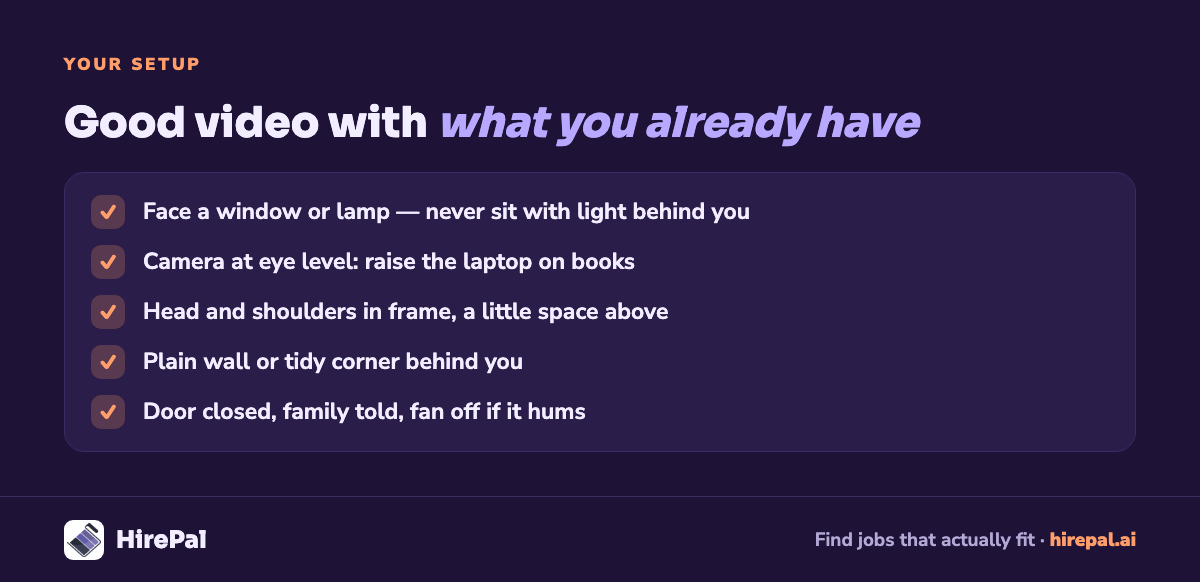
You don’t need a ring light or a fancy camera.
- Light: sit facing a window or a lamp, never with a window behind you.
- Camera height: raise the laptop on books so the camera is at eye level, not looking up your nose.
- Framing: head and shoulders, a little space above your head.
- Background: a plain wall or a tidy corner. A blurred background is fine if it doesn’t flicker around you.
- Noise: tell family your interview time; close the door; switch off fans that hum into the mic if you can.
How to come across well on video
- Look at the lens for key points. Looking at their face on screen reads as looking down. You don’t need to stare at the camera constantly, but land your important answers there.
- Slow down slightly. Lag makes fast speakers hard to follow.
- Pause before answering. It avoids talking over each other.
- Show you’re listening: nod, small acknowledgements.
- Keep notes beside the camera, a few keywords on a sticky note, not on another screen where your eyes visibly move.
- Dress for the role, top and bottom. You may need to stand up.
The mistakes cameras amplify

- Reading answers from a screen (your eyes give it away).
- A dark face because of a window behind you.
- Echo from laptop speakers.
- Joining late because of an account or app problem.
- Typing while they talk (they can hear it).
- Long silences when the connection lags; say “I think we’re lagging” instead of waiting.
When things go wrong
- Internet drops: rejoin immediately; if you can’t within a minute, call or message the interviewer with your number and switch to hotspot.
- Audio fails: use the chat to say so, rejoin on your phone if needed.
- Interruption at home: a brief “excuse me for a second” is fine. Interviewers are human.
Handled calmly, a tech problem rarely costs you the interview. Panic does.
Coding, case or screen-share rounds
- Practise screen sharing beforehand; share a window, not your whole desktop.
- Think aloud: in an online round, silence looks like being stuck.
- Keep a notepad tool open for working through problems if allowed.
After the call
Send a short thank-you note within a day, mention one thing you discussed, and note the questions you were asked in your application tracker.
If many of your online rounds start with an HR screen, our 30 HR interview questions guide covers what comes up.
Get more interviews worth preparing for
HirePal matches you to roles that fit your preferences, with a plain explanation of why, so more of your interview time goes to roles you actually want. Create your free HirePal profile.
Frequently asked questions
Is it okay to keep notes during an online interview?
A few keywords beside your camera are fine. Reading full answers from a screen is noticeable and hurts.
Should I use a virtual background?
A plain real background is best. If you need a blur, test it first so it doesn’t distort you.
What if I’m asked to keep my camera on the whole time?
Assume cameras stay on for every interview unless told otherwise.


